Plan stages and roles
Stages, their lengths and the generic roles in each. Name people later.
Project pricing software
Project pricing software for consulting and professional-services teams. Plan the work stage by stage and get the price for your target margin, or check the margin on a price you already have.
Before the proposal
Every price shows the team and time behind it. Bottom-up project cost estimation
Stages, their lengths and the generic roles in each. Name people later.
Hours × planning rate, plus your cost rules.
Worked out for your target margin, or the price you already quoted.
Each option is a strategy. Lock one as the baseline.
Stage-based estimation
Pick stages such as Discovery, Development, UAT and Hypercare, set each length, and load each role per stage. Effort and labor cost follow from the plan.

Price from a target margin
The price is worked out so the Managed Margin, after labor, project costs and the overhead share, meets your target. Already have a price? Enter it and see the margin instead.

Project rate card
Finance keeps one catalogue of planning rates, entered or imported. Individual employee costs stay separately protected.

Cost rules and margin layers
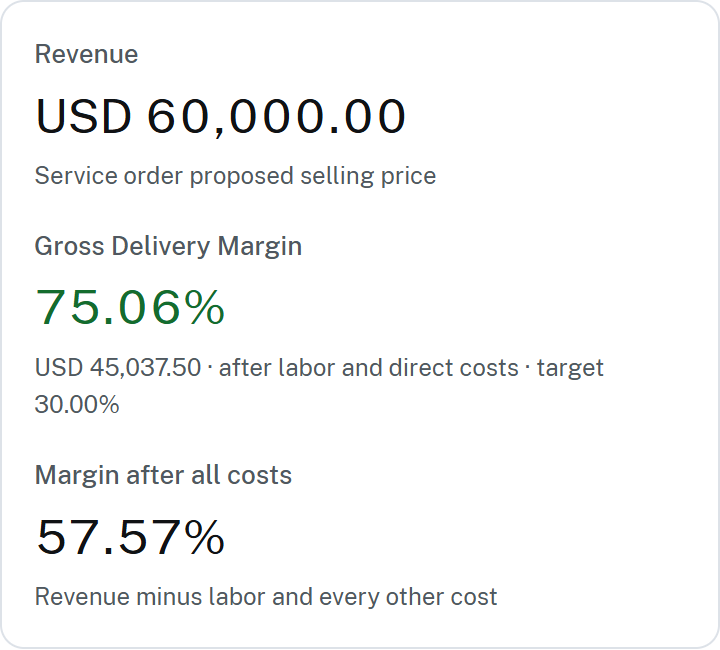
Labor is hours × planning rate; cost rules add the rest. Targets are set on the Managed Margin. Gross, contribution and net margin
| Cost group | Examples | Reduces |
|---|---|---|
| Direct delivery costs | Labor, subcontractors | Gross delivery margin |
| Variable project costs | Sales commission, project management overhead, contingency | Contribution margin |
| Organization overhead | Corporate overhead | Managed Margin (after all costs) |
Pricing scenarios
Each strategy shows revenue, cost, gross delivery margin, Managed Margin and markup. It is arithmetic on your inputs, not an AI guess.
Short answers, with a guide for each.
Plan the roles and hours, cost them at your planning rates, add your cost rules, then set a price that leaves the margin you need. Worked project pricing example.
Yes. Plan the stages and each role's effort, choose a target Managed Margin, and the fixed price and minimum T&M rates are worked out. Resource-based cost estimation.
Yes. Enter the fixed price or T&M rates, and each staffing option shows its cost and margin at that price. Comparing pricing scenarios.
No. Complexity labels a reusable estimation template. Stage lengths and loading come from the template or your edits.
Only the price. It shows the price range and the margin at each end; stages and effort stay as planned. What a ROM estimate is.
It becomes the approved pricing baseline: the agreed plan delivery is measured against. The other strategies stay saved. Project pricing to delivery handoff.
Yes. Fixed-price revenue is the quoted price; time-and-materials revenue comes from billable hours at client billing rates. Cost rate vs billing rate.
Yes. Pre-sales prices from role-based planning rates; individual pay is protected by its own permission. Rate card access controls.
No. It prices the team and margin behind a quote; it does not write proposal documents. Project pricing for professional services.
Yes. Managed Margin is a resource-based estimating tool: you enter the roles, their loading by stage and the approved planning rates, add other costs, and it prices to your target managed margin. You can compare scenarios before quoting and carry the chosen one into delivery as the baseline. Resource-based estimating explained.
Start with your planning rates and estimate one real piece of work.